
Why Is Facebook Video Download Not Working? 10 Common Fixes
Trying to download a Facebook video but the download is not working? The problem can come from the video link, privacy settings, browser, or the video itself.
A Facebook video may also fail when the post has been removed, the copied URL is incomplete, or the content is not publicly accessible. Here are the main reasons a Facebook video may fail to download, along with simple ways to fix each problem.
1. Make Sure the Facebook Video Is Public
Private or restricted Facebook videos may not be available to online downloaders.
Before trying again, open the video directly on Facebook and check that you can view it normally. Videos shared only with friends, inside private groups, or with a restricted audience may not be supported.
Try this:
- Open the video on Facebook.
- Make sure it is publicly accessible.
- Use Facebook’s Copy link option.
- Paste the new link into FClip.
- Try the download again.
FClip does not bypass Facebook privacy settings.
2. Copy the Facebook Video Link Again
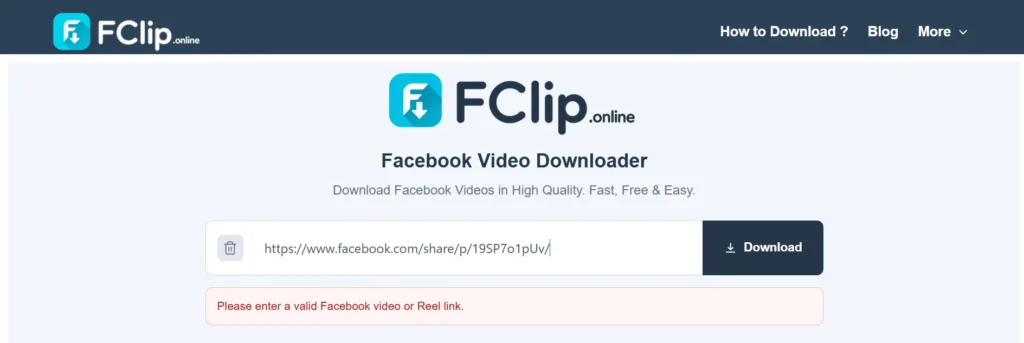
An incomplete or incorrect URL is another common reason a download fails.
Instead of typing the address manually, copy it directly from Facebook.
On a video or Reel, use the Share option and select Copy link. Then paste the complete URL into FClip.
If you copied the link from another app, message, or website, copying it again directly from Facebook can help.
3. Check Whether the Video Is Still Available
A Facebook URL can stop working when the original video is deleted or becomes unavailable.
Open the link in Facebook first.
If Facebook shows that the video is unavailable, removed, or cannot be viewed, an online downloader will normally not be able to retrieve it either.
In this situation, try another public video to see whether the problem is limited to that particular post.
4. Make Sure the Link Points to a Video or Reel
Not every Facebook link contains downloadable video content.
For example, you might accidentally copy a link to:
- A Facebook profile
- A photo
- A text post
- A page
- A private group
- Another type of Facebook content
Return to the actual video or Reel and copy its link from the Facebook share menu.
This is especially useful when FClip does not recognize the URL at all.
5. Try the Link Again After Refreshing
A temporary processing problem can sometimes prevent a download from completing.
Before assuming the link is broken:
- Refresh FClip.
- Copy the Facebook link again.
- Paste it into the downloader.
- Try the available quality.
- If possible, test another public video.
Testing another video is useful because it helps separate a problem with the original Facebook link from a temporary service issue.
6. The Video Opens Instead of Downloading
Sometimes the video opens in the browser instead of being saved immediately.
This can be normal browser behavior and does not always mean the download failed.
Android
Check your browser’s Downloads section or the Files app. The exact location can vary by browser and device.
iPhone
On iPhone, Safari usually saves downloaded videos in the Files app, often in the Downloads folder, depending on your settings.
Windows PC
Check your browser’s Downloads folder or download history.
If the video opens in a new tab, look for the browser’s download option rather than assuming that the file cannot be saved.
7. Try Another Browser
Browser settings, extensions, cached data, or temporary errors can interfere with downloads.
If the same Facebook link does not work, try another browser.
Common options include:
- Chrome
- Edge
- Firefox
- Safari
You can also try the download in a private/incognito window if you suspect an extension or cached setting is causing the problem.
You do not need to install special downloader software just to test another browser.
8. Facebook Reel Is Not Downloading
Facebook Reels can behave differently from regular video posts.
If a Reel does not work, open it directly on Facebook and copy its current URL again.
Then:
- Paste the Reel link into FClip.
- Check whether the URL is recognized.
- Try the available quality.
- If it fails, test another public Reel.
The Reel must still be publicly accessible. If it has been removed or is restricted, the link may not be processable.
9. HD Quality Is Not Available
A missing HD option does not always mean that the downloader is broken.
The quality available can depend on the source video and the version of the content that can be accessed.
If FClip provides only one available quality, that may simply be the highest option available for that particular video.
Try another public video if you want to check whether HD is available on other content.
10. Facebook or the Video URL May Have Changed
Facebook can change its pages, URLs, and the way video content is delivered.
Because of this, a link format that worked previously may sometimes behave differently.
If one video fails but other public videos work, the issue is more likely related to that particular video or URL.
If several different public Facebook videos suddenly stop working in the same way, the problem may be temporary or related to a change in how Facebook serves the content.
What We Check When a Facebook Download Fails
When troubleshooting FClip, the first things to check are the source link, accessibility, and browser behavior.
A useful check is:
- Is the video still available on Facebook?
- Is the post public?
- Did you copy the complete URL?
- Is the URL for an actual video or Reel?
- Does another public video work?
- Does the same link behave differently in another browser?
These checks can help identify whether the problem is with the original Facebook content, the URL, your browser, or temporary processing.
Last reviewed: September 2026
Why Can’t FClip Download Private Facebook Videos?
FClip does not bypass Facebook privacy settings.
A video that is visible only to selected people, members of a private group, or another restricted audience may not be available for processing.
Only download publicly available videos that you have permission or the legal right to save and use.
What If No Facebook Video Is Downloading?
If several different public videos fail, do not keep trying the same URL repeatedly.
Instead:
- Refresh FClip.
- Copy a fresh public Facebook video link.
- Try another supported video or Reel.
- Test a different browser.
- Check again later if the problem continues across multiple public links.
If only one video fails while other public videos work, the source video or its URL may be the reason.
If you are trying FClip for the first time, you can also follow our Facebook video and Reel download guide for the normal download process.
When Should You Contact FClip?
If the same problem continues with multiple public Facebook videos and different browsers, you can contact FClip with the details of the issue.
Include:
- The type of Facebook link
- Your browser and device
- What happens after you paste the link
- Any error message you see
Do not send private account information or passwords.
Frequently Asked Questions
Why is my Facebook video link not working?
The link may be incomplete, the video may be private or removed, or the URL may not point to supported video content. Copy the link again directly from Facebook and try a public video.
Why does my Facebook video open instead of downloading?
Some browsers open the video before saving it. Check your browser’s Downloads section or use its available download option.
Can I download a private Facebook video?
FClip does not bypass Facebook privacy restrictions. Private or restricted videos may not be available for processing.
Why is my Facebook Reel not downloading?
Make sure the Reel is still available and publicly accessible, then copy its link again directly from Facebook. You can also test another public Reel to see whether the issue is limited to one video.
Where is my downloaded Facebook video?
The location depends on your device and browser. Check the browser’s Downloads section or your device’s Files/Downloads folder.
Why is HD not showing for my Facebook video?
HD availability depends on the source video and the quality accessible for that content. If FClip provides one quality, that may be the highest available option for that video.
Why do some Facebook videos work while others do not?
Facebook videos can have different privacy settings, URLs, availability, and source characteristics. A problem with one video does not necessarily mean every public Facebook video will fail.
Final Check
Most Facebook download problems have a simple starting point: check the original video, confirm that it is public and still available, and copy its link again directly from Facebook.
If that does not help, test another public video and another browser. If you are ready to try the download again, use the FClip Facebook Video Downloader to check your public video link.
FClip is intended for supported publicly accessible Facebook videos and Reels. Always make sure you have the necessary rights or permission before downloading or using someone else’s content.