
Quick Answer
You can download a Facebook story in under a minute: copy the story link from Facebook, paste it into a facebook video downloader like FClip, pick the quality, and save the MP4 to your phone or computer. On iPhone the file lands in the Files app first — open it and tap Save Video to move it to Photos. On Android it goes straight to your Downloads or gallery. On PC it saves to your Downloads folder.
One rule matters more than anything else: a story only lives for 24 hours. If you want to keep it, download it before the clock runs out. And FClip only works with public stories — private stories, stories from friends-only accounts, and stories that have already expired cannot be downloaded by any tool.
What Is a Facebook Story?
A Facebook Story is a photo or short video that appears at the top of your Facebook feed and disappears automatically after 24 hours. People use stories for moments that are not meant to stay on their profile forever: a birthday clip, a holiday photo, a behind-the-scenes video, a quick announcement.
A story video can run up to 60 seconds. Stories can also be plain photos, text on a coloured background, or a mix of photos and stickers. When you download a story, you get the original file — a photo as a JPG or a video as an MP4 — in the quality it was uploaded in.
Stories are different from Reels and regular Facebook videos in one important way: there is no download button inside Facebook. Facebook never added one for stories, which is why you need a downloader tool. If you want the same process for longer videos, our guide on how to download Facebook videos covers the full method.
Before You Start: The 24-Hour Rule
Every Facebook story has a countdown. The moment it was posted, the 24-hour timer started, and when it ends the story is gone from Facebook for good. There is no way to recover an expired story from the public link.
So the practical advice is simple: download the story the moment you decide you want it. Do not leave it for later in the day. If the story is from a friend and you are not sure whether you need it, save it anyway — you can always delete the file, but you cannot get the story back once it expires.
There is one exception. Your own stories are saved automatically in your Story Archive, even after the 24 hours pass. That is covered in the archive section below. Other people’s stories have no such safety net.
How to Download a Facebook Story (All Devices)
The core steps are the same on every device. Only the last step — where the file ends up — changes.
- Open Facebook and find the story you want to save.
- Tap the three dots on the story and choose Copy link. On a computer, open the story and copy the address from the browser bar.
- Open FClip in your browser and paste the link into the download box.
- Tap the download button and wait a few seconds while the story is fetched.
- Choose the quality you want — highest available is usually best — and save the file.
That is the whole process. The device-specific sections below explain where the file goes and what to tap next.
Download Facebook Story on iPhone
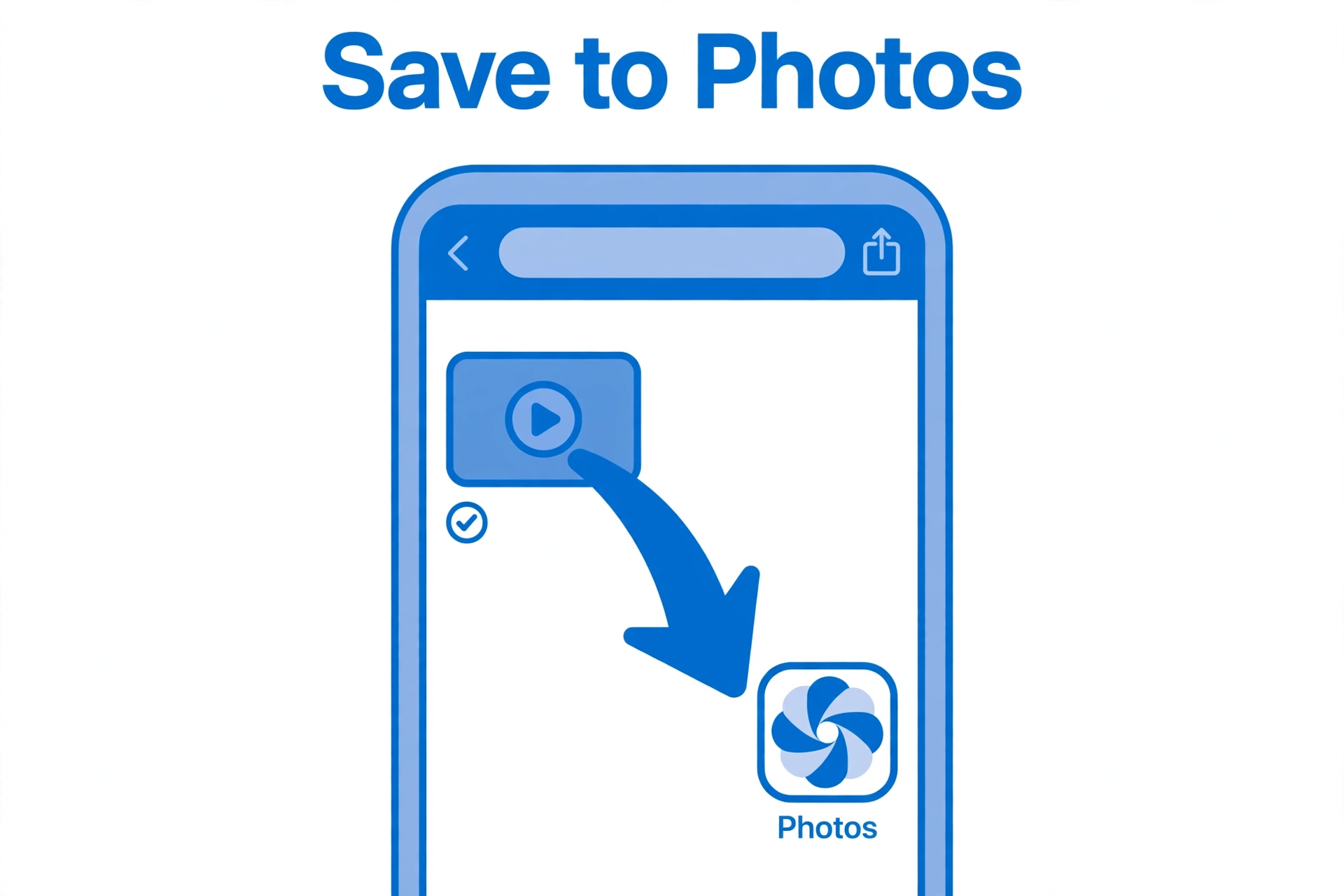
Downloading a story on an iPhone takes one extra step because Safari sends downloaded videos to the Files app instead of Photos. Here is the full flow:
- Copy the story link in the Facebook app (three dots → Copy link).
- Open Safari and go to FClip. Paste the link and download the story.
- When Safari asks where to save it, keep the default location and tap Download.
- Open the Files app, go to Downloads, and tap the video file.
- Tap the Share button and choose Save Video. The story is now in your Photos app, in your camera roll, ready to watch or share.
A couple of iPhone notes worth knowing:
- Safari works best. Chrome on iPhone also works, but Safari handles the Files-to-Photos handoff most smoothly.
- No app is needed. You do not need to install a story saver app, and you should not — most of them ask for your Facebook login, which is a security risk. A browser tool like FClip never asks for your password.
- Photo stories save as images. If the story is a photo, the file goes straight to Photos after you tap Save Image — the same as any photo you save from Safari.
Spanish speakers often search for this as “descargar historias de facebook” — the steps above work exactly the same way no matter which language your phone is set to.
Download Facebook Story on Android
Android is the most straightforward of the three, because Chrome downloads go straight to a folder you can open from your gallery.
- Copy the story link from the Facebook app.
- Open Chrome, go to FClip, and paste the link.
- Tap download and choose your quality.
- Wait for the download to finish — you will see a notification.
- Open the notification, or open your Gallery or Files → Downloads, and the story video is there.
Tips for Android:
- Check your storage first. If a download seems to vanish, it is usually because the phone is low on storage. Free up a little space and try again.
- Gallery vs Files. Some phones show downloaded videos in the gallery under a “Downloads” album, others only in the Files app. If you cannot see it in the gallery, look in Files → Downloads.
- Use Chrome, not the Facebook in-app browser. Pasting the link in Chrome gives you a clean download. The in-app browser sometimes blocks file downloads.
Download Facebook Story on PC and Mac
On a computer the process is the fastest of all, because the story is already on a big screen and the file goes straight to your Downloads folder.
- Open the story on facebook.com and copy the link from the address bar.
- Open a new tab, go to FClip, and paste the link.
- Click download, pick the quality, and the MP4 saves to your Downloads folder.
- Double-click the file to play it, or drag it into any folder you like.
On a Mac, the same steps apply in Safari or Chrome — the file lands in the Downloads folder in Finder. If you want the story on your phone afterwards, AirDrop it (Mac to iPhone) or send it to yourself in a message.
Save Your Own Story from the Facebook Archive
If the story is yours, you do not need a downloader at all. Facebook keeps a private copy of every story you post in your Story Archive, even after the 24 hours are over. Here is how to get it back:
- Open the Facebook app and go to your profile.
- Tap the three dots on your profile, then Archive, then Story Archive. (On a computer: Settings → Privacy → Story → Story Archive.)
- Find the story you want and open it.
- Tap the three dots and choose Download or Save. The photo or video saves to your phone.
The archive only holds your own stories. It does not contain anyone else’s. If a friend’s story has expired and you did not save it in time, the archive will not help — that is why downloading public stories before they disappear matters.
Story Video Quality and Formats
When you download a Facebook story, here is what you get:
- Format: MP4 for videos, JPG for photos. MP4 plays on every phone, computer and smart TV without converting.
- Quality: the original quality the story was uploaded in — usually up to 1080p. A story is never higher quality than the file the person uploaded, so if the original was a low-resolution clip, the download will be too.
- Size: a typical 15-second story video is a few megabytes. Longer 60-second stories are bigger, but still small enough to share by message or email.
- Sound: story videos download with their sound included, as long as the original had sound. If the downloaded video is silent, the original story itself was probably muted or silent — check the story on Facebook first.
For the best results, choose the highest quality option the tool offers. There is no benefit in picking a smaller file unless you are short on storage.
Why a Story Won’t Download (and What to Do)
If the download fails, it is almost always one of four reasons:
| Problem | What it means | What to do |
|---|---|---|
| The story is private | The account is friends-only or the story was shared with a limited audience | No tool can download a private story. Ask the person to share it with you directly. |
| The story has expired | The 24 hours are up and the story is gone from Facebook | It cannot be recovered. Download stories as soon as you see them. |
| The link is wrong | You copied a profile link or a Reels link instead of the story link | Open the story itself, tap the three dots, and copy the link again. |
| The story is a live or interactive format | Some story formats (polls, live stickers) are not a plain video file | Try again once the story is a normal photo or video, or screenshot the frame you need. |
If the link is right, the story is public, and it is still live, but the download still fails, refresh the page and try once more — a temporary connection hiccup is the most common cause. And remember: never enter your Facebook password into a downloader site. A legitimate tool never needs it.
Facebook Story vs Reels vs Video — What Is Different?
People often mix these up, so here is the short version:
- Story: 24 hours only, photo or video up to 60 seconds, no download button in Facebook. Save it before it disappears.
- Reels: short vertical videos that stay on the profile permanently. They have their own download flow — see our guide on how to download Facebook Reels on iPhone, Android and PC.
- Regular video: a normal post on the timeline or in Watch. It stays up until the owner deletes it. The general download guide covers it, and the HD download guide explains how to get the highest quality.
The download method is nearly the same for all three — copy the link, paste it into FClip, save the MP4. The difference is urgency: only stories disappear on their own.
FAQs
Can I download a Facebook story without an app?
Yes. Open FClip in your phone’s browser, paste the story link, and download the MP4. No app install is needed on iPhone, Android or PC, and you should never have to give your Facebook password to a downloader.
How do I download a Facebook story before it disappears?
Copy the story link as soon as you see it, paste it into a story downloader, and save the file. Stories vanish after 24 hours, so do not wait — once a story expires, no tool can bring it back.
Can I download a private Facebook story?
No. Private stories and stories from friends-only accounts cannot be downloaded by any tool, including FClip. Only public stories work. If you need a private story, ask the person who posted it to send it to you.
Where do downloaded stories save on iPhone?
Safari saves them to the Files app under Downloads. Open the file there, tap Share, and choose Save Video to move it into your Photos app and camera roll.
Where do downloaded stories save on Android?
Chrome saves them to the Downloads folder, and most phones also show them in the Gallery under a Downloads album. If you cannot see the video in the gallery, open Files → Downloads.
What format are downloaded Facebook stories?
Videos download as MP4 and photos as JPG, in the original quality the story was uploaded in — usually up to 1080p. MP4 plays on any phone, computer or TV without conversion.
Can I download my own old Facebook story?
Yes, from your Story Archive. Facebook saves your own stories automatically even after the 24 hours pass. Go to your profile → Archive → Story Archive, open the story, and tap Download. This only works for your own stories, not other people’s.
Conclusion
Facebook Stories are built to disappear — that is the whole point of them. If a story matters to you, the only safe move is to save it while it is still live. Copy the link, paste it into FClip, and you have the MP4 on your phone or computer in under a minute, free, with no app and no login.
Just remember the two rules: download it before the 24 hours run out, and only public stories can be downloaded. Your own stories are always safe in your archive. For everything else on Facebook — Reels, HD videos, regular posts — the same copy-and-paste method works, and our full guides cover each one step by step.
Updated for November 2026: More Download Guides
Updated 17 November 2026. The steps and the 24-hour rule above were re-checked today and still apply. Two new guides may help you further. If you want to save several Stories or videos at once, our guide to downloading multiple Facebook videos at once shows the honest workflow — FClip downloads one video per link, so collect the links quickly (before the 24 hours run out) and work through them in order. And if the Story you want is in a group, our guide to downloading Facebook videos from groups and pages explains the privacy rule: public group videos can be downloaded, but private-group videos cannot be downloaded by any downloader. For longer clips, see our guide to downloading Facebook Reels on iPhone, Android and PC.
On your phone, see how to download Facebook videos on Android or on iPhone.
