Note: FClip only works with public videos. Private or restricted videos cannot be downloaded.
Frequently Asked Questions
Frequently Asked Questions
?How do I download Facebook videos in HD?
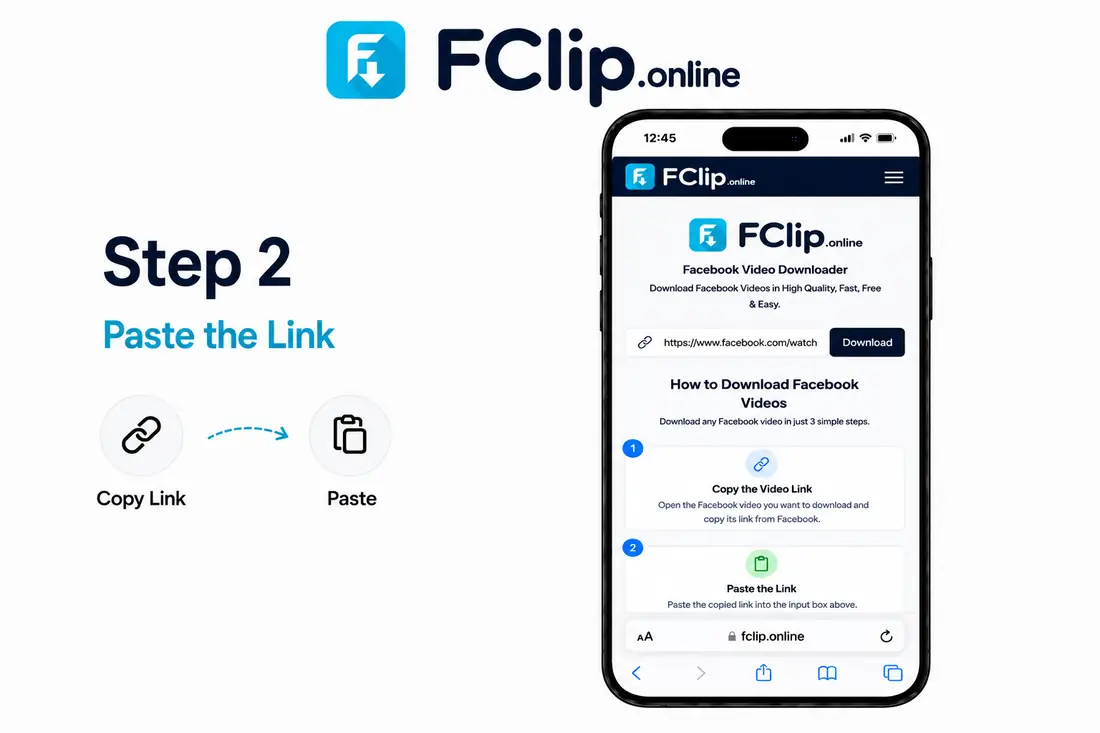
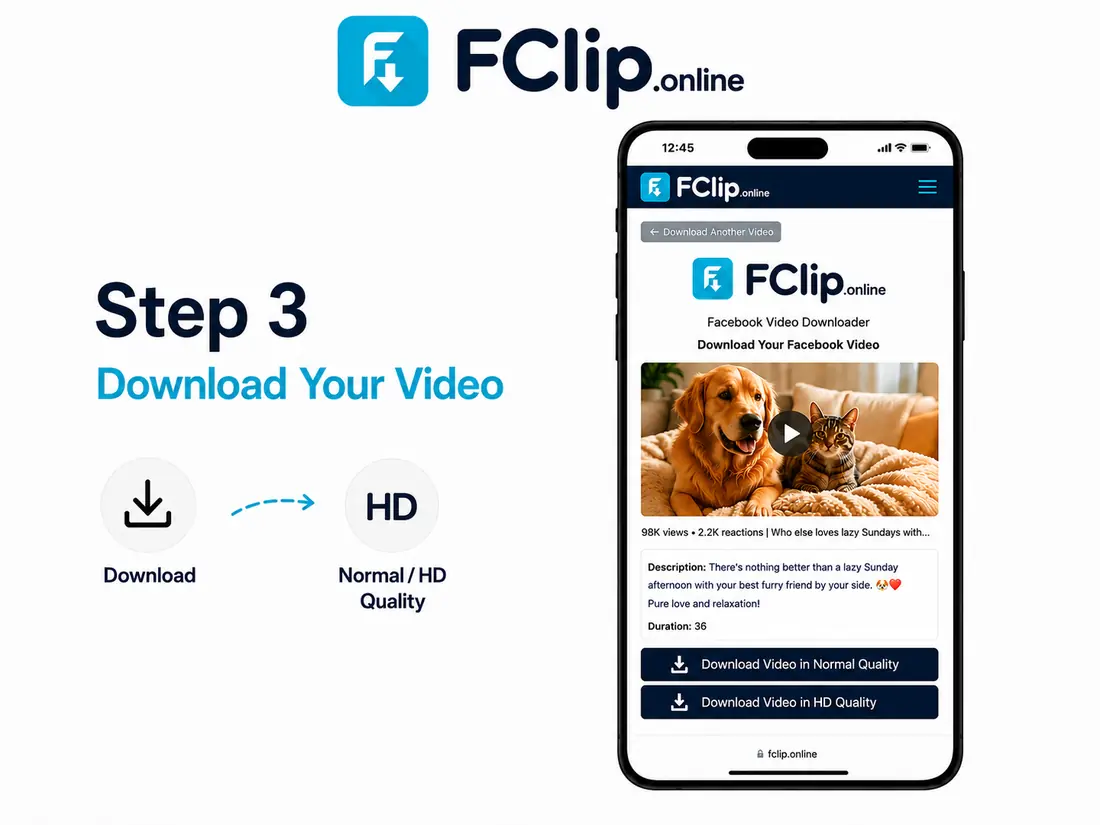
To download Facebook videos or Reels in high definition, just copy the video link from Facebook and paste it into our search bar. After clicking the download button, FClip will show you two options: Normal Quality and HD Quality. Simply click the HD Quality button to save the video in clear high resolution on your device folder.
?Can I download Facebook videos on Android, iPhone, or PC?
Yes, FClip is a free website that works perfectly on all web browsers and devices. You can easily open our downloader tool on Android mobiles using Google Chrome, on iPhones using Safari browser, or on Windows laptops and Mac computers. You do not need to install any apps or software to download videos from our platform.
?How do I download Facebook Reels?
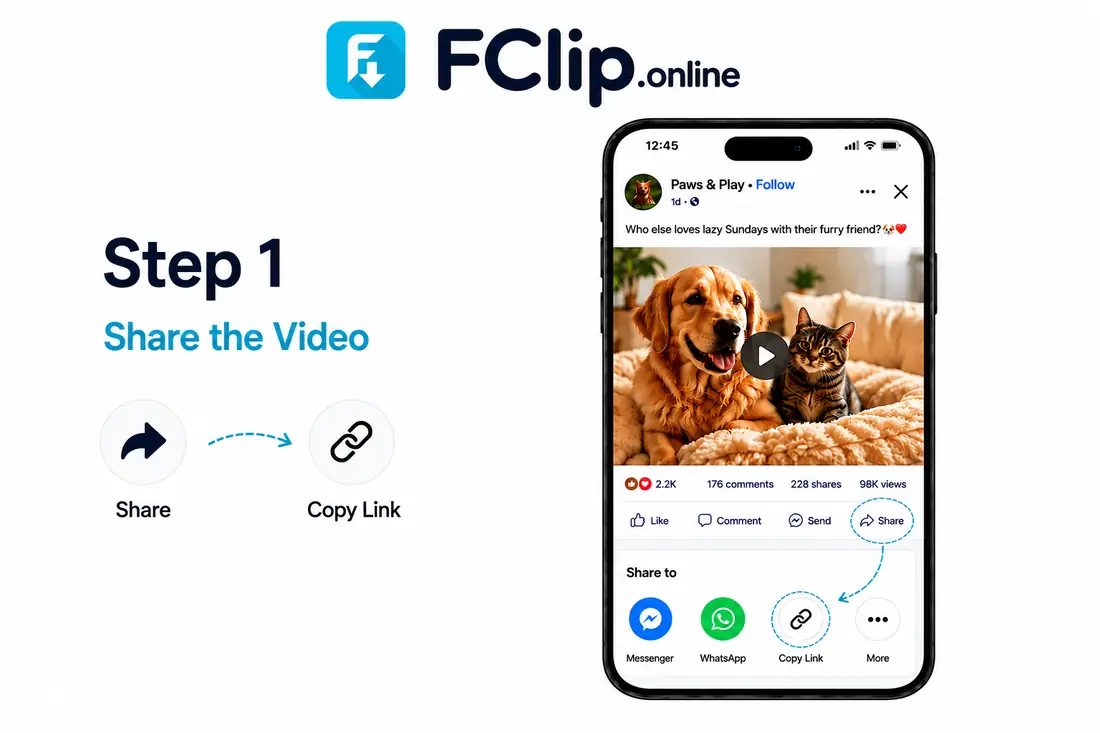
Downloading Facebook Reels is very easy with FClip. Open the Facebook application on your phone, find the short video reel you like, and click the Share icon to select Copy Link. Come back to our tool, paste that link into the input box, click download, and pick Normal or HD Quality to save the video file directly.
?Can I download private Facebook videos?
No, FClip can only download videos and reels that are public on Facebook. Our online system respects user privacy and data security rules, so it cannot open or fetch videos that are shared in private groups, friend-locked profiles, or secret pages that require account login details to view them online.
?Why is my Facebook video not downloading?
If the video does not download, check if your internet connection is working. Sometimes downloads fail if the video link is broken, if the owner has deleted the post from Facebook, or if the video settings are private. Copy the link again from Facebook, refresh the page, and try putting it back in our downloader tool box.
?Why does my Facebook video open instead of downloading?
Some mobile and desktop browsers open the video inside a new tab to play it instead of downloading it. If this happens to you, simply click the three dots on the bottom right corner of the video player and choose the download option. On mobile phones, you can also long-press the video and click Save Video to gallery.
?Where are Facebook videos saved after downloading?
All files that you download from FClip go straight into your internet browser's main Downloads folder. If you are using an Android or iPhone device, you can easily look for the saved MP4 files inside the Downloads folder of your File Manager app, or check your mobile gallery application under the recent downloads album.
?Why does my downloaded Facebook video have no sound?
This issue can happen if Facebook stores the audio track separately for that video. If you download the video in HD Quality and find out it has no sound, please try downloading the video again using our Normal Quality option. Always make sure that the original video on Facebook has sound before you start downloading it.